
Features
Everything CapyParse does
with a bank statement.
Turn PDF statements, scans and photos into checked, categorized transactions, ready for QuickBooks, Xero or Excel.
Projects
Put a year of bank statements for a client in one project, see missing months at a glance and export the year as one file.
See how projects work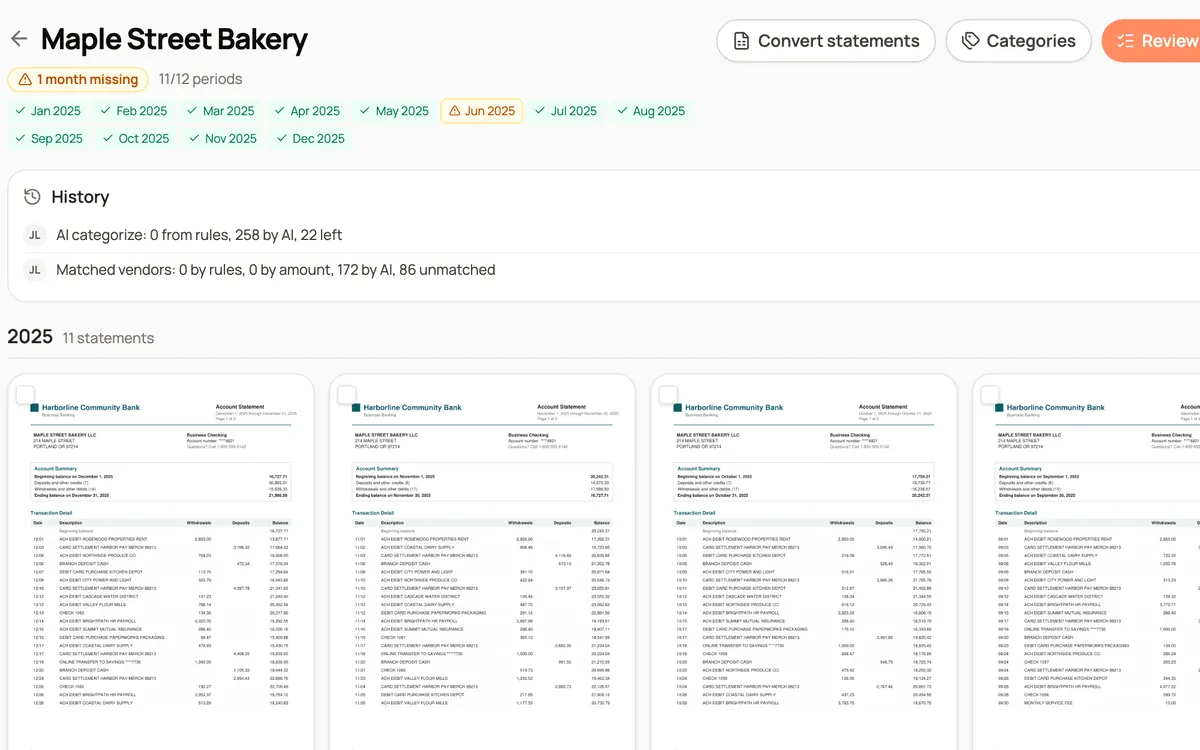
Balance checks
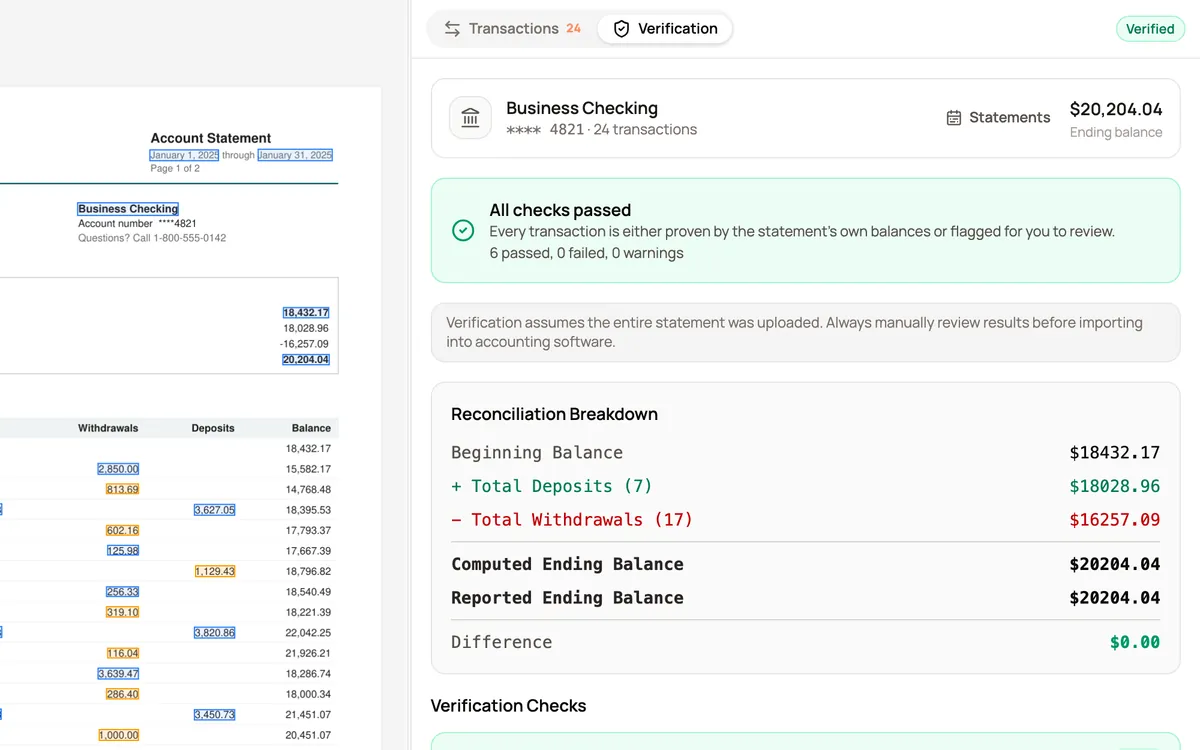
Every converted statement is checked against its own opening, closing and running balances, and anything that does not add up is flagged.
See how it works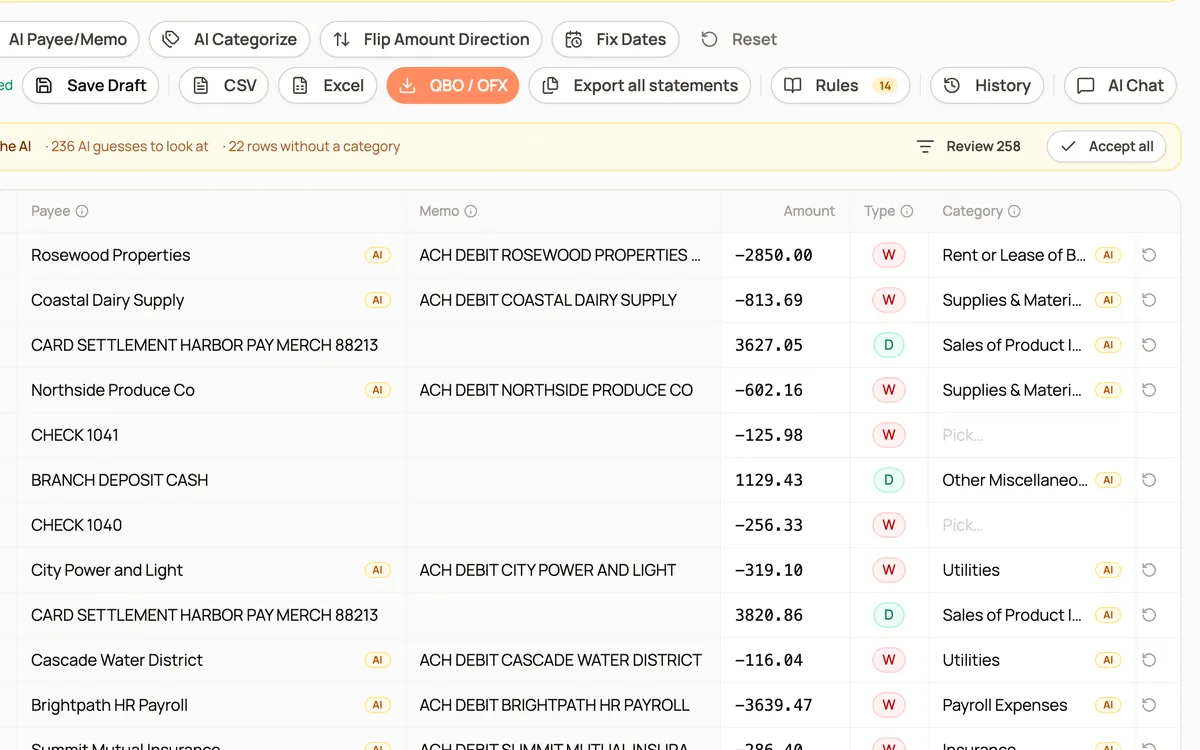
AI categorization
Categorize bank transactions with each client's own category list. Saved payee rules run first, AI fills the rest, and every guess is marked for review.
See how it works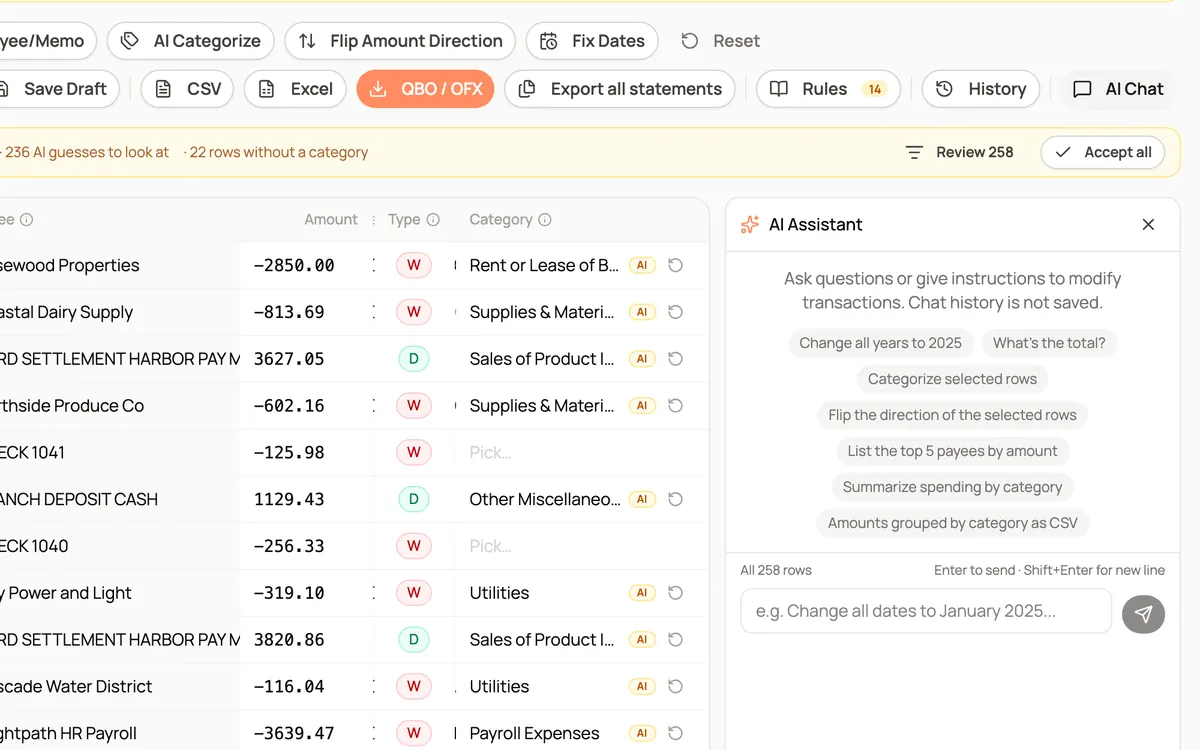
Review editor
Fix dates, flip directions and clean payees across a whole statement or year, or ask the AI for changes in plain English, with full undo history.
See how it works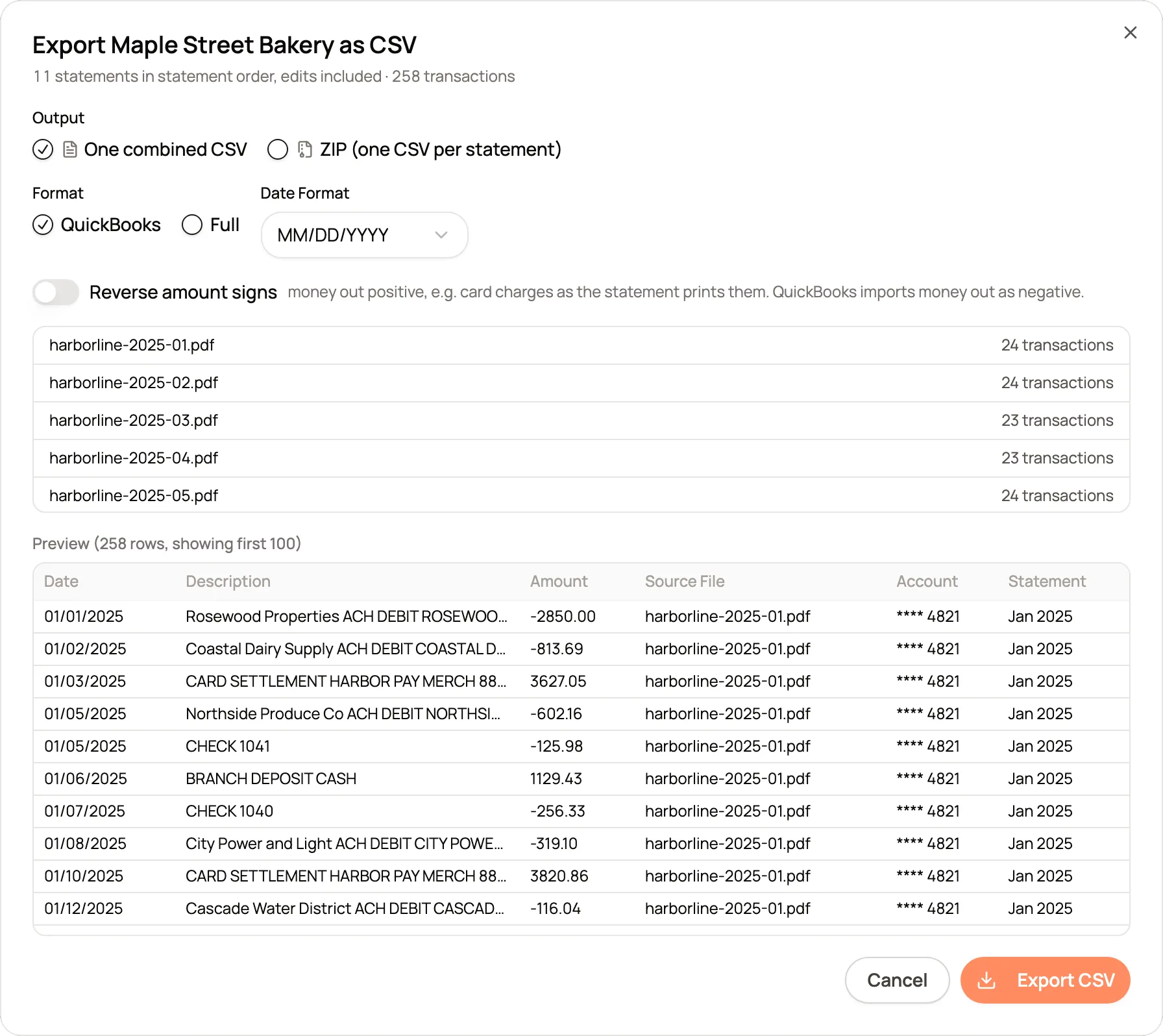
Export formats
Export one statement or a whole year as CSV, Excel, QBO, QFX or OFX for QuickBooks, Xero, Quicken, Sage, Wave or a spreadsheet.
See how it worksFrom a folder of PDFs to the books. A client sends a year of statements. Here is the job, start to finish.
- 1Collect the statements in one projectUpload the whole year at once. Missing or duplicate months show up straight away, while there is still time to ask the client.
- 2Check every statementEvery conversion is checked against the statement's own balances, so a dropped or misread row is caught before it reaches the books.
- 3Categorize with the client's accountsRules handle the vendors you have seen before, AI suggests the rest from the project list, and every guess stays marked until you accept it.
- 4Clean up and reviewFix dates, signs and payee names in bulk, with a history the reviewer can read and restore from.
- 5Import into the booksExport the year as one CSV, Excel, QBO, QFX or OFX file for QuickBooks, Xero, Quicken, Sage, Wave or a spreadsheet.
Also included. The rest of what CapyParse handles.
- Scans and phone photos
Paper statements, scanned PDFs and photos taken on a phone convert like digital PDFs.
Several accounts in one PDF
Consolidated statements are split so each account gets its own table, its own checks and its own export.
Credit card and investment statements
Card statements keep charges and payments the right way round, and investment statements come out as clean tables.
- 1,000+ banks
Big banks, credit unions and banks in Canada, the UK and South Africa, in English or French, with no templates to set up.
- API and MCP server
Convert statements from your own software or an AI agent, with a page and line citation on every transaction.
- Private and secure
Encrypted in transit and at rest, scoped to your team, and never sold.