
Categorized once.
Consistent all year.
Rules handle the vendors you have seen before. AI suggests the rest from your client's chart of accounts, and every guess stays marked until you accept it.
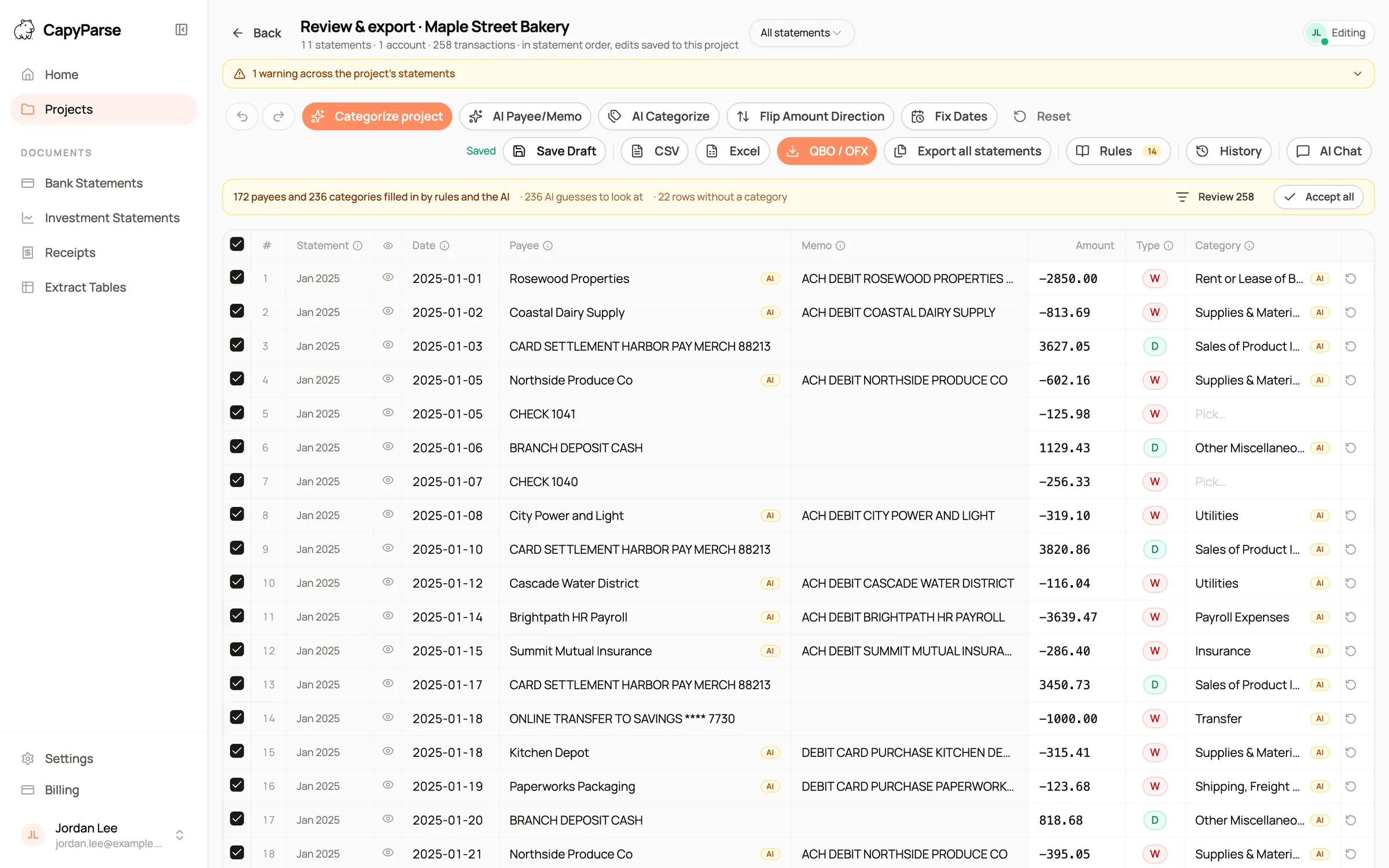
Shown with sample statements for a fictional business.
Rules first. AI second. You stay in charge of every category.
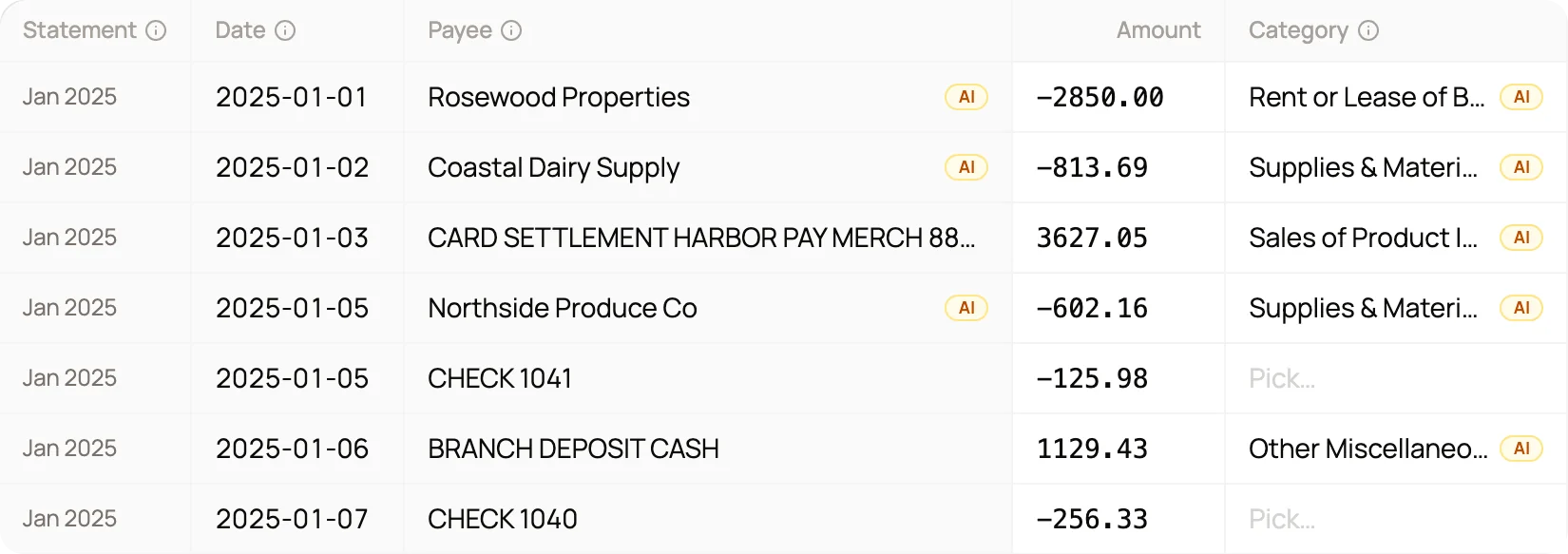
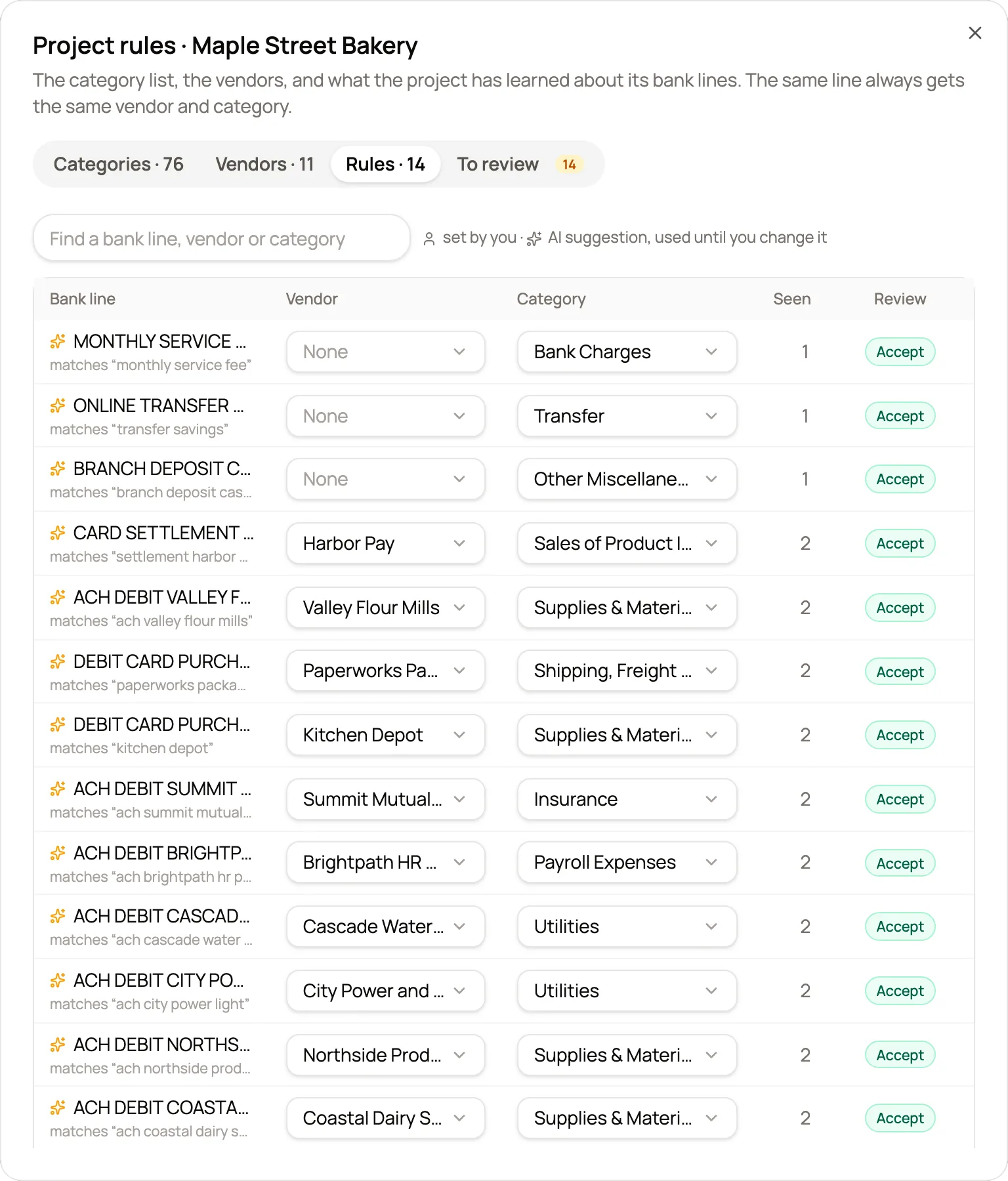
Clean payee names. "ACH DEBIT COASTAL DAIRY SUPPLY" becomes Coastal Dairy Supply, with the bank line kept in the memo.
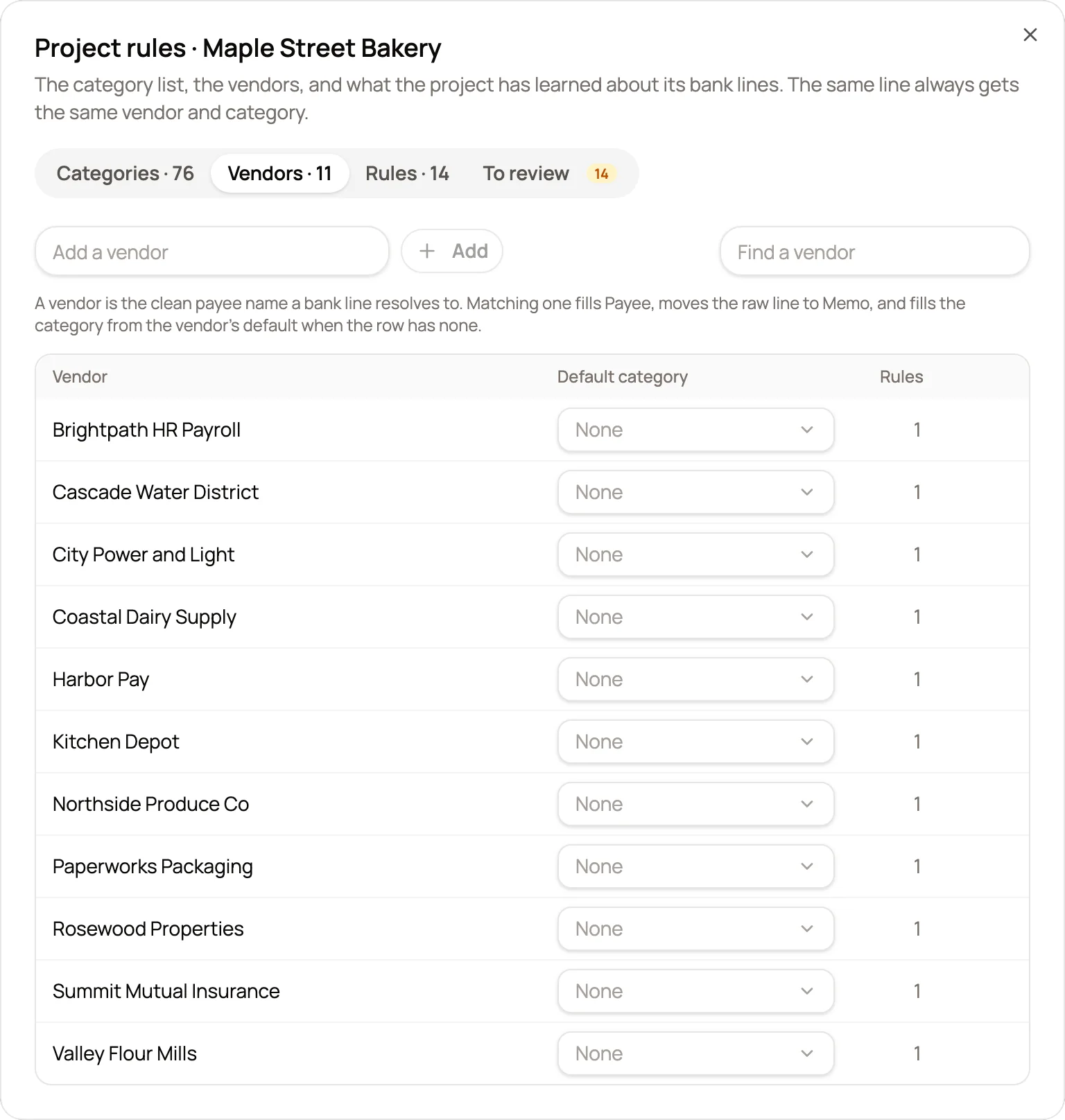
Vendors with defaults. Add a vendor with a default category, and every line that matches it is filled in for you.
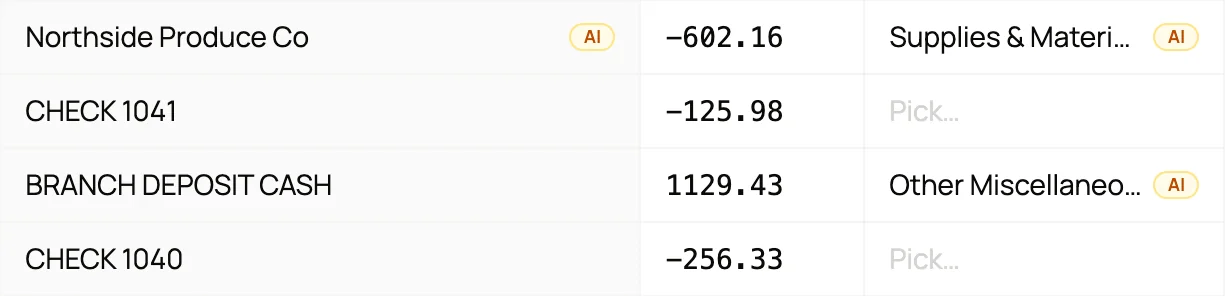
No guesses on vague lines. A bare check number says nothing about the payee, so it is left for you instead of guessed.
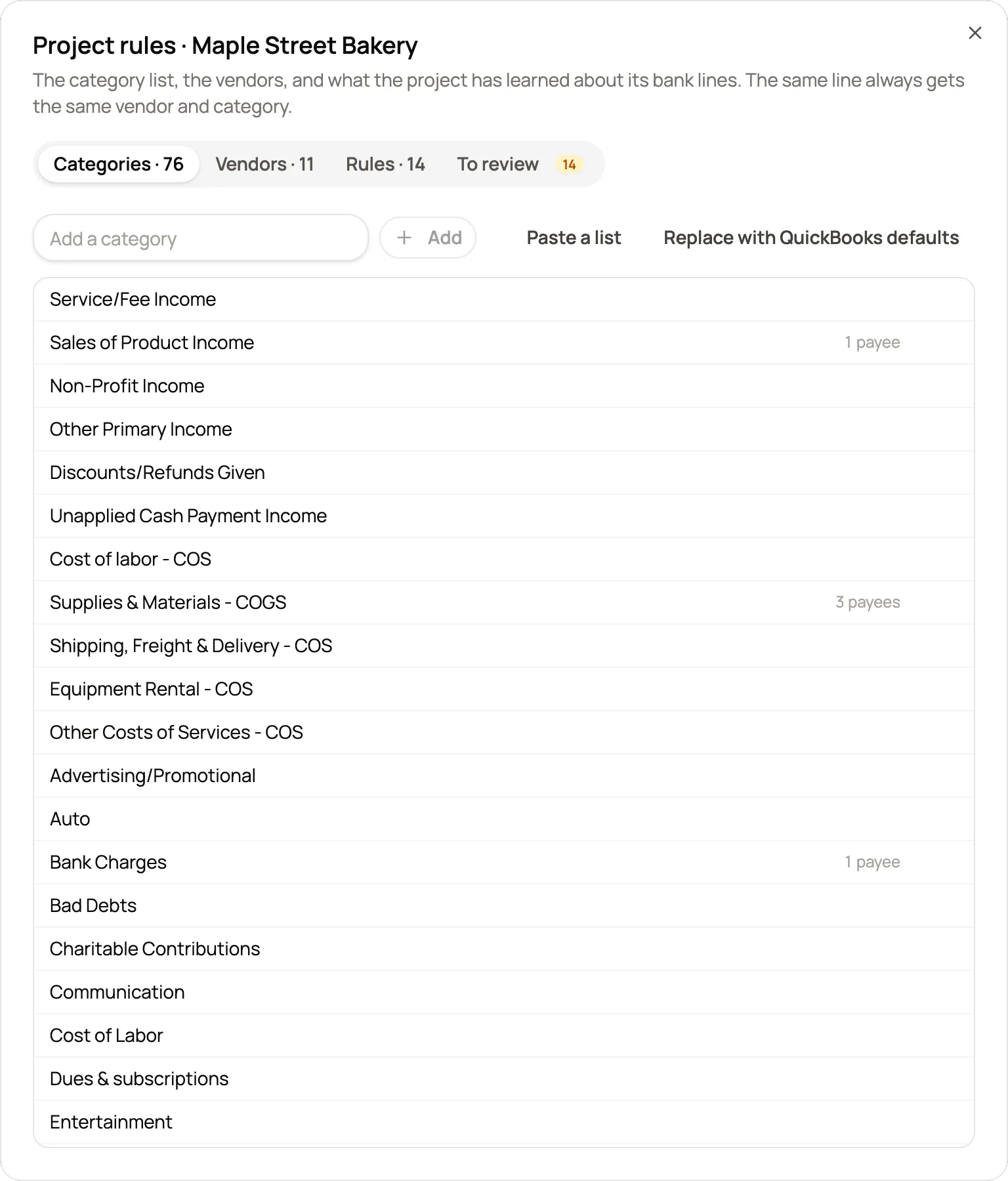
Your client's chart of accounts. Start from the QuickBooks defaults or paste the client's list. The AI only picks from it.
Rules that learn from your edits
Pick a category for a payee and CapyParse saves it as a rule. The next statement uses it, and the AI never overrides a rule you set.
- Shared by everyone on the project
- AI suggestions marked until accepted
- Every categorize run can be undone
Where it saves the most time. Less coding by hand, more judgment.
Year-end review?
The same bank line gets the same category every month, so the reviewer checks vendors, not transactions.
Tax client with only statements?
A categorized year in Excel is the start of the return, and the AI Assistant totals spending by category.
New staff on the account?
The rules live with the project, so a new bookkeeper codes it the way the last one did.
Recurring bills?
Rent, payroll and utilities are handled by rules, leaving one-off purchases for a person.
What changes. The same job, before CapyParse and after.
Without CapyParse
With CapyParse
Every row coded by hand, every month
Known payees categorized by rules
The same vendor in three different accounts
One rule per bank line, shared by the team
Raw bank lines as payee names
Clean vendor names, bank line in the memo
Generic categories to remap later
Categories from the client's own list
Questions
About ai categorization in CapyParse.
Which categories does the AI use?
Only the categories in the project's list. Start from the QuickBooks defaults or paste your client's chart of accounts, and the AI picks from those names.
Will the AI change a category I set by hand?
No. A category you choose for a payee is saved as your rule, and the AI never overwrites it. AI suggestions are marked so you can always tell them apart.
Can I apply one category to every transaction from a payee?
Yes. When you pick a category, you choose whether it applies to this row, to every row from that payee, or to the rows you selected. Only the payee choice saves a rule.
Do categories carry into the export?
Yes. The full CSV layout includes a Category column, ready to map in Xero, Sage or a spreadsheet. The QuickBooks layout keeps the three columns QuickBooks asks for: date, description and amount.
Can each client have a different category list?
Yes. Each project has its own list and its own rules. Start from the QuickBooks defaults, paste the client's chart of accounts, or add a category from the picker while you work.
What happens with checks and other vague lines?
Lines that say nothing about the payee, such as a bare check number, are left blank rather than guessed, so a person makes that call.
More from CapyParse
Try it on your own statements.
Your first 10 pages are free, with no card needed.