
The file your software
actually accepts.
CSV, Excel, QBO, QFX or OFX, written the way QuickBooks, Xero and Quicken expect. One statement or a whole year in one file.
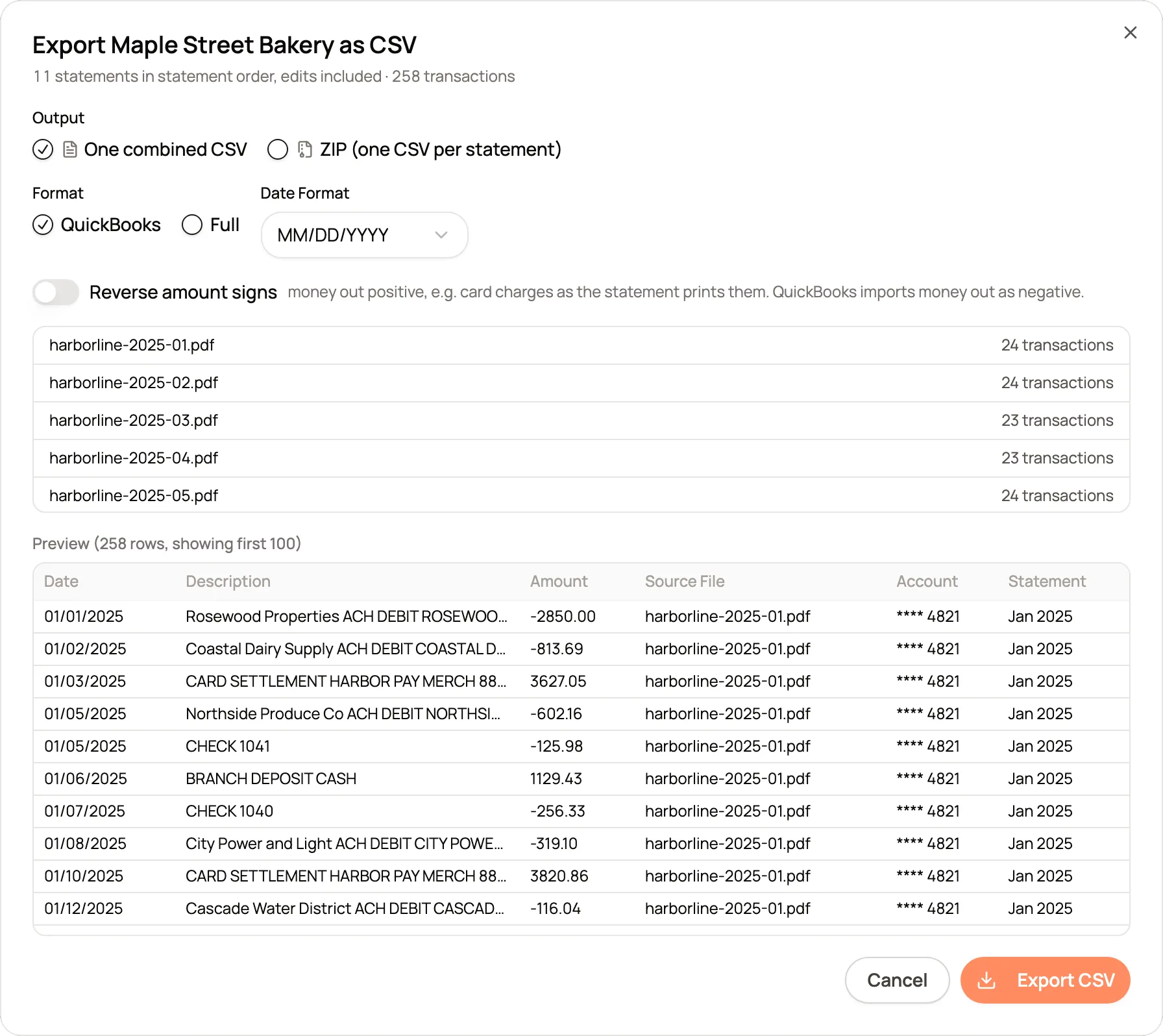
Shown with sample statements for a fictional business.
Every importer has rules. Each file is written to follow them.

QBO, QFX and OFX. QuickBooks, Quicken, and the open format Xero and Wave read, all from the same review.
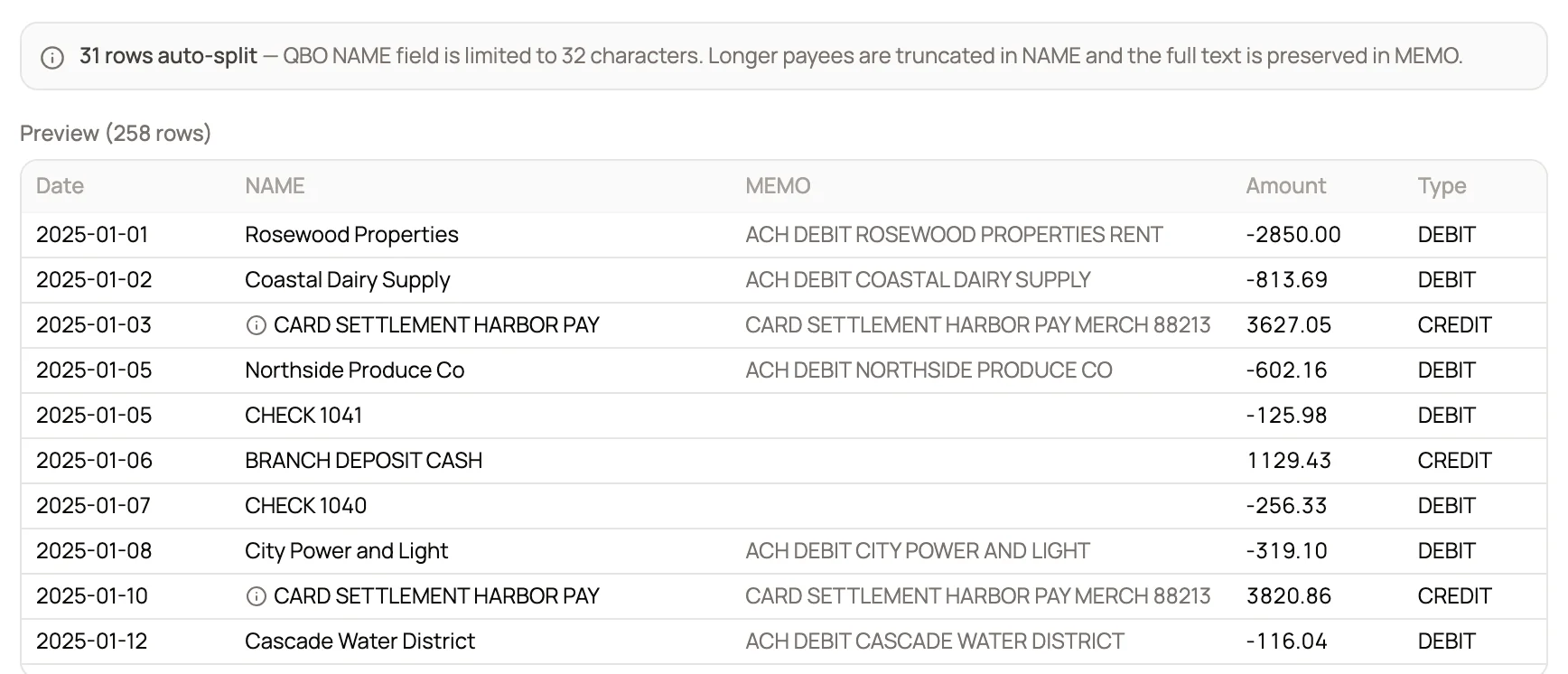
Long payees, handled. QBO names stop at 32 characters, so long payees are shortened there and kept whole in the memo.
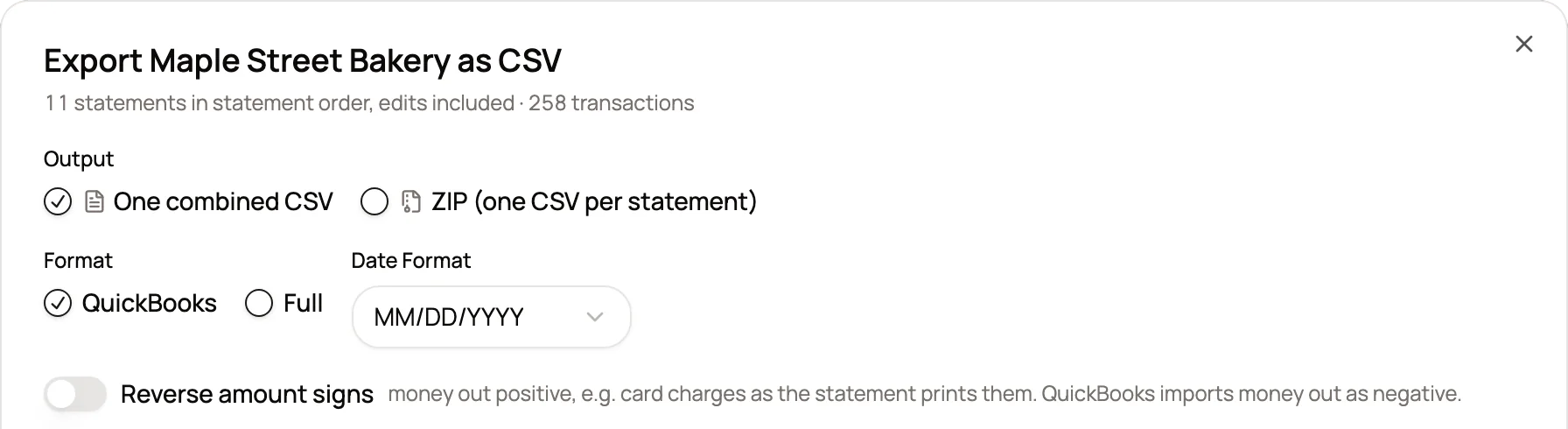
The layout your importer wants. Three columns for QuickBooks, or payee, memo, category and type for everything else. Five date formats.

One statement or the year. Export a single month from a project, or every statement together in statement order.
Which file for which software. Pick the client's system and use that format.
| Software | Format | How it imports |
|---|---|---|
| QuickBooks Online | QBO or CSV | QBO uploads with no column mapping. A CSV maps date, description and amount on upload. |
| QuickBooks Desktop | QBO | Imported as a Web Connect file into the matching account. |
| Xero | OFX or CSV | Imported through Import a Statement on the bank account. |
| Quicken | QFX | The Quicken version of the bank file. |
| Sage and Wave | OFX or CSV | Standard bank files that both accept. |
| Excel and Google Sheets | Excel or CSV | The full layout, ready to filter, pivot and total. |
Where it matters. The moments a bad file costs the most time.
Clients on different systems?
Export QBO for one, OFX for the next and Excel for the tax preparer, all from the same review.
QuickBooks cannot verify the bank?
QBO files carry a bank ID QuickBooks recognizes, and the account type is detected from the statement.
Catching up a whole year?
One file in statement order beats twelve imports, and each row keeps its source file.
Client outside the US?
Choose DD/MM/YYYY or YYYY-MM-DD so dates import the way the client's books expect.
What changes. The same job, before CapyParse and after.
Without CapyParse
With CapyParse
Retype transactions from the PDF
Import a file built from the statement
Rebuild a CSV until the importer accepts it
Each format written to its importer's rules
Bank verification errors in QuickBooks
A bank ID QuickBooks recognizes
One file per month
A whole year in one file
Questions
About export formats in CapyParse.
Should I use QBO or CSV for QuickBooks Online?
Both work. A QBO file imports without any column mapping. A CSV file asks you to match the date, description and amount columns during the upload. Our QuickBooks import guide walks through both.
Can I export a whole year as one QBO file?
Yes, when every statement in the project belongs to one account. A QBO file describes a single account, so for a project with several accounts, export QBO one statement at a time or use CSV.
Which date formats are available?
MM/DD/YYYY, DD/MM/YYYY, YYYY-MM-DD, M/D/YYYY and DD-Mon-YYYY.
What is the difference between QBO, QFX and OFX?
They are versions of the same bank file. QBO is the QuickBooks version, QFX is the Quicken version, and OFX is the open standard that Xero, Wave and many other tools read.
How do I avoid duplicate transactions in the books?
Each transaction appears once in the file. To keep the books clean, export only the statements you have not imported yet. In a project, pick a single statement to export just that month.
Can I rename the columns?
Yes. When you export a statement from the editor, click a column header in the preview to rename it, for importers that expect particular names.
More from CapyParse
Try it on your own statements.
Your first 10 pages are free, with no card needed.