
Every statement,
checked to the cent.
Every conversion is checked against the balances the bank printed, so a dropped or misread row is caught before it reaches the books.
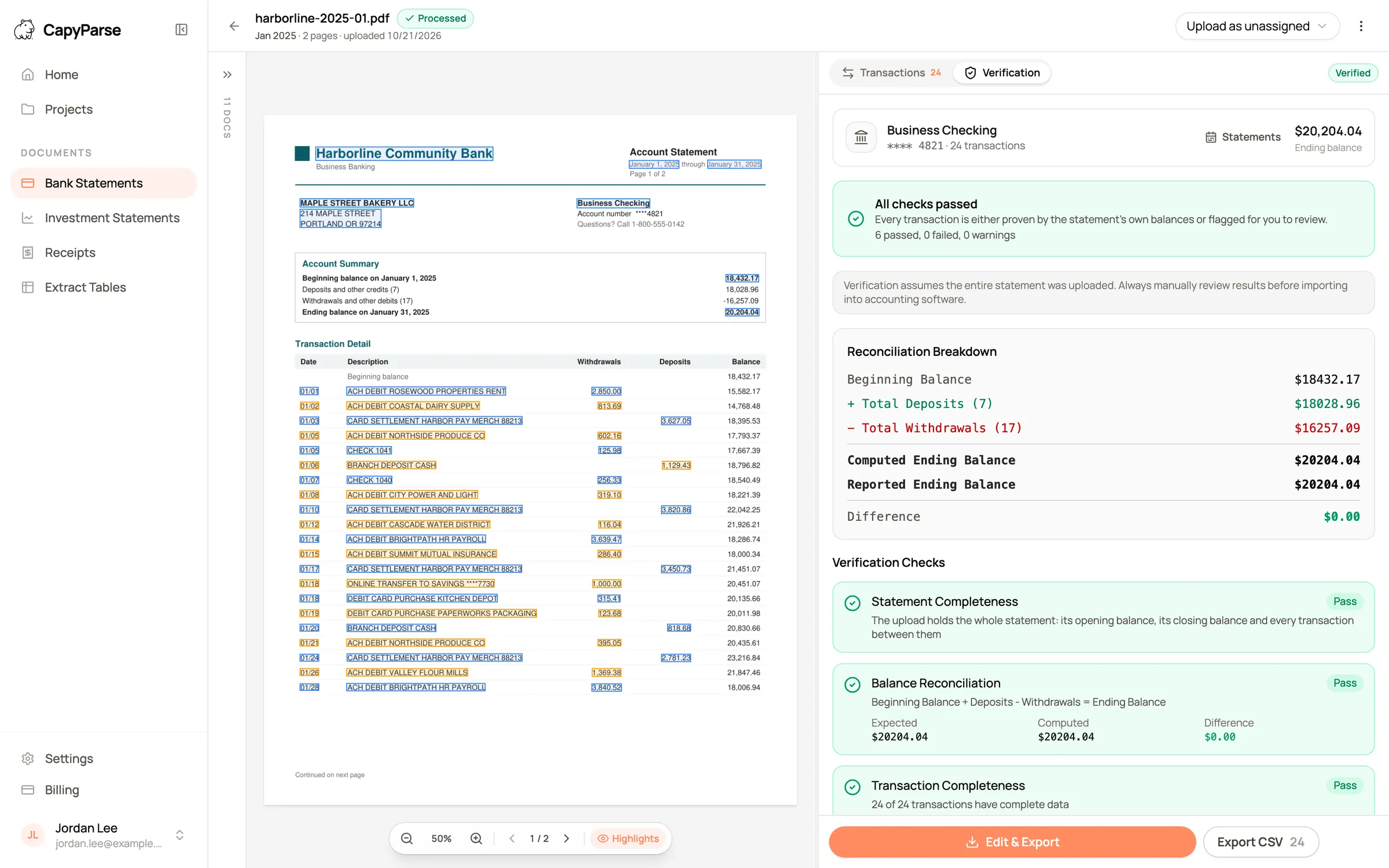
Shown with sample statements for a fictional business.
The math, done for you. The checks you would run by hand, finished before you open the file.

Proven or flagged. Every transaction is proven by the statement's balances or marked for you to review.
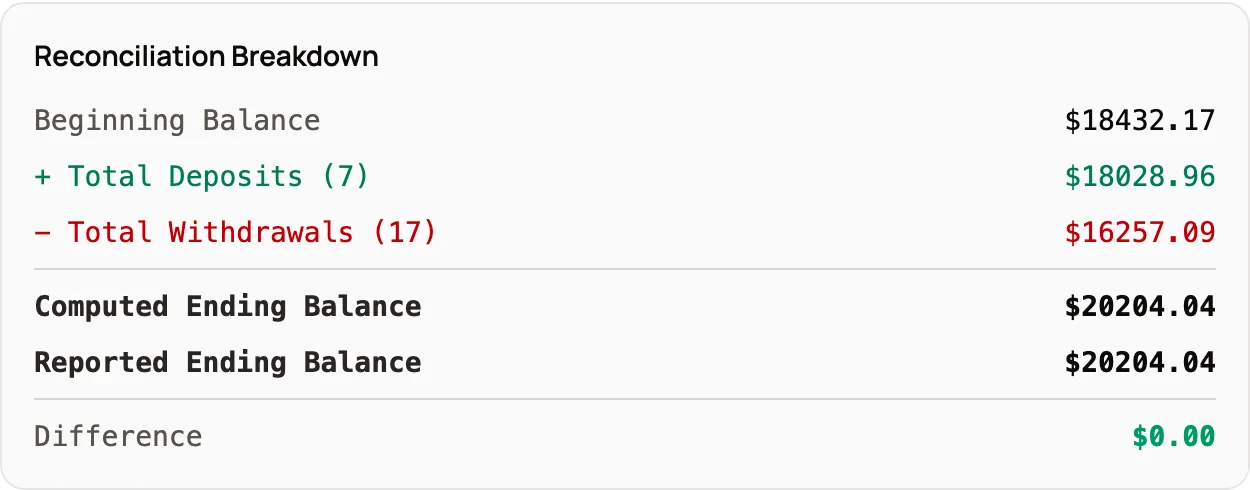
Opening to closing. Beginning balance, deposits and withdrawals must land exactly on the printed ending balance.
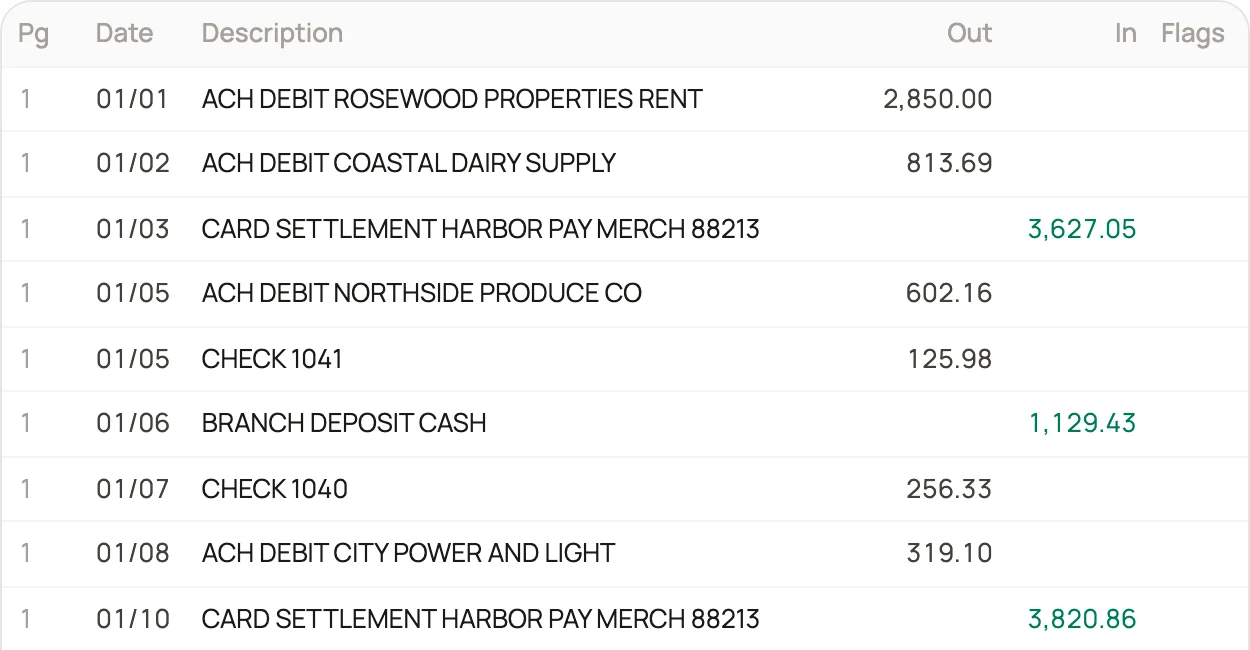
Every amount in its column. Deposits and withdrawals come out separately, page by page, the way the statement prints them.
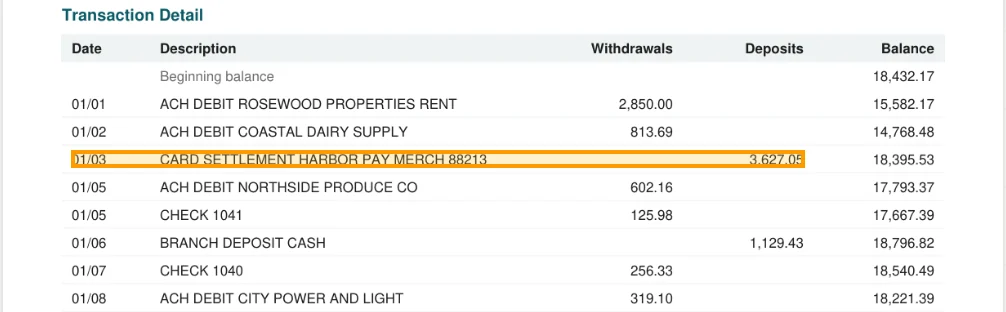
Every row on its page. Open any transaction and see the line it came from, highlighted on the original statement.
Caught before import, not at reconciliation
A row dropped at a page break makes the computed balance miss by exactly that amount, and the check says so before anyone imports the file.
- Missing and duplicated rows
- Misread digits on scans
- Incomplete uploads
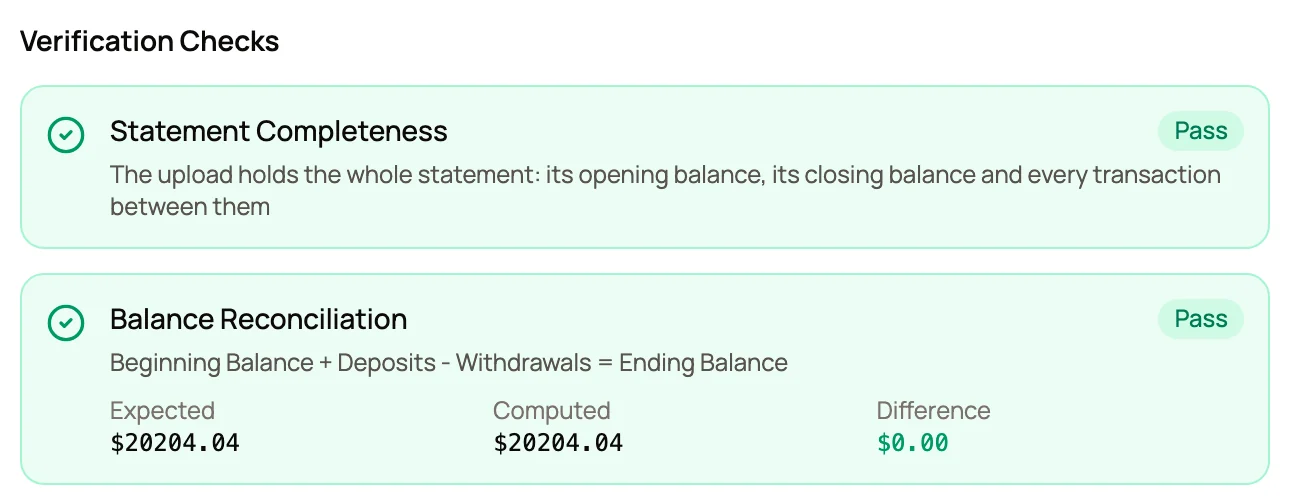
Where the checks pay off. Fewer surprises at month end.
Reconciliation off by a few dollars?
When the file already matches the statement, the difference is in the books, not the conversion.
Scanned or photographed statements?
A 3 read as an 8 stops the totals from adding up, and the check flags it.
Reviewing someone else's work?
Start with the rows the checks could not prove, then spot-check the rest beside the page.
Need proof it balances?
The Verification tab shows the beginning balance, the activity, the ending balance and the difference.
What changes. The same job, before CapyParse and after.
Without CapyParse
With CapyParse
Total the converted rows in a spreadsheet
Totals compared with the statement automatically
Check against the statement's summary box
Running balances and page totals checked too
Search the PDF line by line
Each row marked on its page
Find the gap at reconciliation
Flagged before export
Questions
About balance checks in CapyParse.
What happens when a check fails?
The check shows the expected amount, the amount found and the difference, and the rows that could not be proven are flagged. Compare them with the highlighted page, correct them in the editor, and the checks run again.
Does a passed check mean the conversion is perfect?
It means the transactions add up to every balance and total the bank printed, which catches missing rows, duplicated rows and misread amounts. Balances cannot confirm a date or a description, so every row stays next to the original page for review.
What if my statement has no running balance?
The opening and closing balances are still checked against the sum of the transactions. Statements that print more, such as running balances or page totals, get more checks.
Can it tell me a statement is incomplete?
Yes. The completeness check confirms the upload holds the whole statement, from its opening balance to its closing balance. In a project, a missing month or a closing balance that does not carry into the next statement is flagged as well.
Does this replace my bank reconciliation?
No. The checks confirm that the converted file matches the statement. Your reconciliation still confirms that the books match the bank, and it goes faster when the file is right from the start.
Do the checks work on credit card statements?
Yes. Card statements are reconciled from the previous balance to the new balance, with charges and payments kept the right way round.
More from CapyParse
Try it on your own statements.
Your first 10 pages are free, with no card needed.