
Best Bank Statement Converters for Accountants
Published on August 3, 2026 by CapyParse Team
Try it with your statement
Drop a PDF statement below to see the transactions extracted. Free, no signup.

Click to upload or drag & drop
your bank statement PDF
Select PDF filePDF only · up to 6 pages · 10 MB max
Need more pages or the Excel and QBO exports? Open the converter
Converting one bank statement is a five-minute annoyance. Converting statements for 40 clients in the first week of the month is a staffing decision, and the tool you choose stops being about accuracy alone and starts being about seats, page allowances, and whether a junior can be trusted to spot a dropped row.
This roundup looks at six converters through that lens. Pricing was checked in August 2026 and the cost comparison uses real firm volume rather than the vendor's chosen example.
Short version
Widest format coverage: DocuClipper, if your clients span QuickBooks Desktop, Quicken, and Online.
If cloud upload is off the table: ProperConvert or MoneyThumb, both local.
What actually matters when the statements are not yours
Consumer reviews of these tools focus on accuracy and price. Neither is wrong, but firms have three more constraints that rarely make the listicles.
- Seats, and what they cost. A converter that is cheap for one person can be the most expensive option on the list the moment a second preparer needs access.
- Who uploaded what. When a client queries a figure in November, you want to know which file it came from and who processed it, not reconstruct it from memory.
- Retention and disclosure. Client engagement letters increasingly ask which third parties touch financial records. "Some website" is not an answer that survives a professional indemnity review.
- Peak load, not average load. Your volume is not spread evenly across the month. Page allowances that reset monthly are fine; ones you burn through by the 6th are not.
What 300 pages a month costs
Three hundred pages is a realistic figure for a small practice: roughly 30 clients with one account each, or 15 clients with a checking and a credit card statement. Here is what each tool charges to get there.
| Tool | Plan needed for 300 pages | Monthly cost | Users |
|---|---|---|---|
| DocuClipper | Business (640 pages) | $111 | Unlimited |
| ProperConvert | Not page-metered | from $19.99 | Per machine |
| MoneyThumb desktop | Not page-metered | $299.95 once, plus OCR renewal | Per machine |
| Dext | Practice, 10 client minimum | $177+ plus credits | Practice-wide |
| AutoEntry | 900 credits at 3 per page | Above the $450 tier | Practice-wide |
| Lido | Scale (Standard caps at 100) | $7,000/year | 10 |
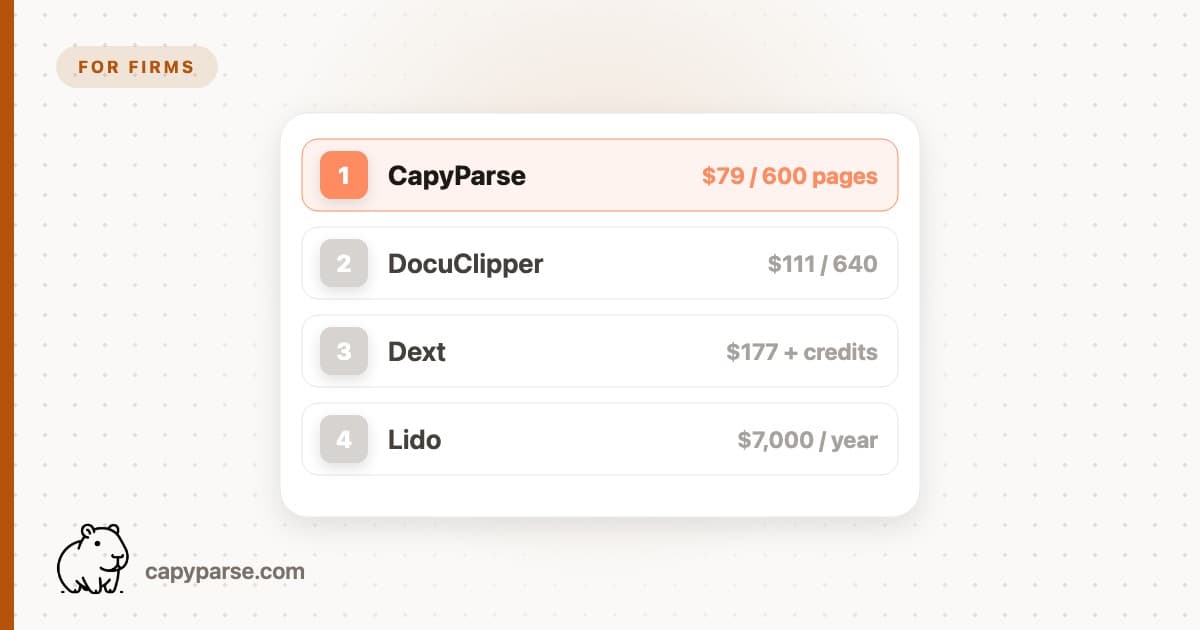
| CapyParse (ours) | Firm (600 pages) | $79 | Team seats |
Two numbers in that table deserve a second look. AutoEntry charges three credits for every statement page, and that includes blank backs, summary pages, and the notes section, so a ten-page statement is 30 credits before you have extracted anything useful. And Lido's $29 plan covers 100 pages with one user, which means a firm hits the Scale plan almost immediately.
The six options
1. DocuClipper: unlimited seats, and every format you might need
DocuClipper is the format specialist. Excel, CSV, QBO, OFX, QIF, and IIF, plus connections to QuickBooks, Xero, Sage, NetSuite, and Dynamics 365. For a practice with one client still on QuickBooks Desktop 2019 and another on Xero, that breadth removes a whole category of problem.
Unlimited users on every tier is genuinely unusual and worth weighing against the page allowance. The Business plan at $111 covers 640 pages with financial analysis features layered on top, including cash flow views and fraud indicators.
Best for: firms with a fragmented client software stack. See the full review.
2. Dext: capture platform first, converter second
Dext's Practice plans are priced per client per month with a ten-client minimum, around $17.70 for Essentials and $19.20 for Advanced. For that you get the whole capture workflow: receipts, bills, supplier rules, approvals, and publishing to a long list of accounting packages.
Bank statement extraction is included, but it consumes credits from your plan allowance rather than being unlimited. So the honest framing is that Dext is a practice platform that also converts statements, not a statement converter. If you already run it, use it. If you are buying purely to convert PDFs, you are paying for a lot of surrounding machinery.
Best for: practices already standardised on Dext for source documents.
3. AutoEntry: watch the credit maths
AutoEntry, now part of Sage, uses credits. Plans run from roughly $12 a month for 50 credits up to about $450 for 500, and unused credits roll over for 90 days, which helps with uneven months.
The catch for statement work is the rate. Bank statement pages cost three credits each, and that count includes blank pages, summaries, and notes sections. Thirty ten-page statements is 900 credits, which is past the top published tier. It is a reasonable tool priced for invoices and receipts, being used for a job with a very different page profile.
Best for: firms with modest statement volume and heavy bill capture.
4. MoneyThumb: the perpetual licence option
If your firm would rather buy software once than add another monthly line item, MoneyThumb is still the main choice. Desktop products run from $59.95 to $599 depending on edition, with 2qbo Convert Pro+ at $299.95 covering a lifetime converter licence plus a year of the PDF+ OCR module.
Two caveats for practice use. PDF+ renews at roughly $99 a year and it is the piece that reads scanned statements, so the perpetual licence is not quite perpetual for scan-heavy work. And Pro+ and Express are Windows only, which matters if half the team is on a Mac. There is also a cloud line at $24.95, $49.95, and $99.95 a month.
Best for: Windows practices with steady volume and a preference for capex. Full detail in the MoneyThumb review.
5. ProperSoft ProperConvert: when nothing may be uploaded
Some clients, and some jurisdictions, simply will not permit financial records to be processed by a third-party cloud service. ProperConvert answers that: it runs on Windows or Mac, the file never leaves the machine, and pricing starts around $19.99 a month with no page meter.
It reads PDFs including scans and writes QBO, QFX, OFX, IIF, QIF, CSV, and MT940, which is more format coverage than the price suggests. The trade is a desktop interface, manual batching, and no shared history across the team.
Best for: engagements where cloud processing is contractually excluded.
6. Lido: solo-friendly, firm-hostile pricing
Lido converts well and its 50 free pages make evaluation painless. The problem is the shape of the plans. Standard is $29 a month for 100 pages and a single user, and the next tier is $7,000 a year.
For a sole practitioner with a light month, fine. For anything resembling a firm, you either outgrow the entry plan in the first week of the month or you are quoting a five-figure annual line for statement conversion.
Best for: a solo bookkeeper with fewer than ten clients.
Where CapyParse fits
We make CapyParse, so it is not in the ranking above. It suits firms that convert statements for many clients each month: the Firm plan is $79/mo for 600 pages, with team seats included and every upload attributed to the person who made it. Statements come out as CSV, Excel, QBO, OFX, or QFX, scans included, and rows that need a second look are flagged so you can review every transaction before you export. A REST API and an MCP server let you trigger conversions from your own practice tooling.
A review step your juniors can follow
Whatever you buy, the control that catches real errors is the same and it takes about a minute per statement.
1. Reconcile to the printed balances
Opening balance plus the sum of converted amounts should equal the closing balance on the statement. If not, something is missing or signed wrong.
2. Count the transactions
Many statements print a transaction count or a per-section subtotal. Compare it to the row count in the export.
3. Spot-check the first and last page
Page boundaries are where rows get lost, particularly when a description wraps across a page break.
4. Check the sign on a card statement
Credit cards invert the usual convention. A payment reduces the balance and a purchase increases it, and plenty of tools get this backwards.
Frequently asked questions
What do accounting firms actually pay for statement conversion?
At roughly 300 pages a month, CapyParse works out at $79, DocuClipper at $111, and Dext at $177 or more because of its ten-client minimum. AutoEntry becomes expensive at that volume since bank statement pages cost three credits each. Desktop tools such as ProperConvert and MoneyThumb are not page-metered, so heavy volume favours them if you can accept local software.
Do bank statement converters charge per user?
It varies more than you would expect. DocuClipper includes unlimited users on every tier including the $20 plan. CapyParse includes team seats with per-user attribution on uploads. Lido caps its $29 Standard plan at one user, so a second person means jumping to a plan priced in the thousands per year.
Is it safe to upload client bank statements to a converter?
It can be, provided you check three things: who the vendor is, how long files are retained, and whether the connection and storage are encrypted. Many engagement letters now require disclosure of subprocessors. If a client prohibits cloud processing entirely, ProperSoft ProperConvert and MoneyThumb run locally and never upload the file.
Which converter handles a mixed client software stack?
Look at export formats rather than integrations. DocuClipper covers Excel, CSV, QBO, OFX, QIF, and IIF, and CapyParse covers CSV, Excel, QBO, OFX, and QFX. Between them that handles QuickBooks Online, QuickBooks Desktop, Xero, Sage, and Quicken clients without buying a second tool.
How do you check a converted statement before it hits the ledger?
Reconcile the converted transactions against the opening and closing balances printed on the statement, and count the rows. If the arithmetic does not close, a row was dropped or a sign was flipped. Tools that show extracted rows beside the original page make this check quick rather than a second pass through the PDF.